A GAİN Gift Card is a special code that lets you enjoy GAİN Premium membership for a certain period of time. You can add your gift card to your account by following the steps below.
Gift Card Activation
- Go to www.gain.tv.
- Sign in with your existing account or create a new account.
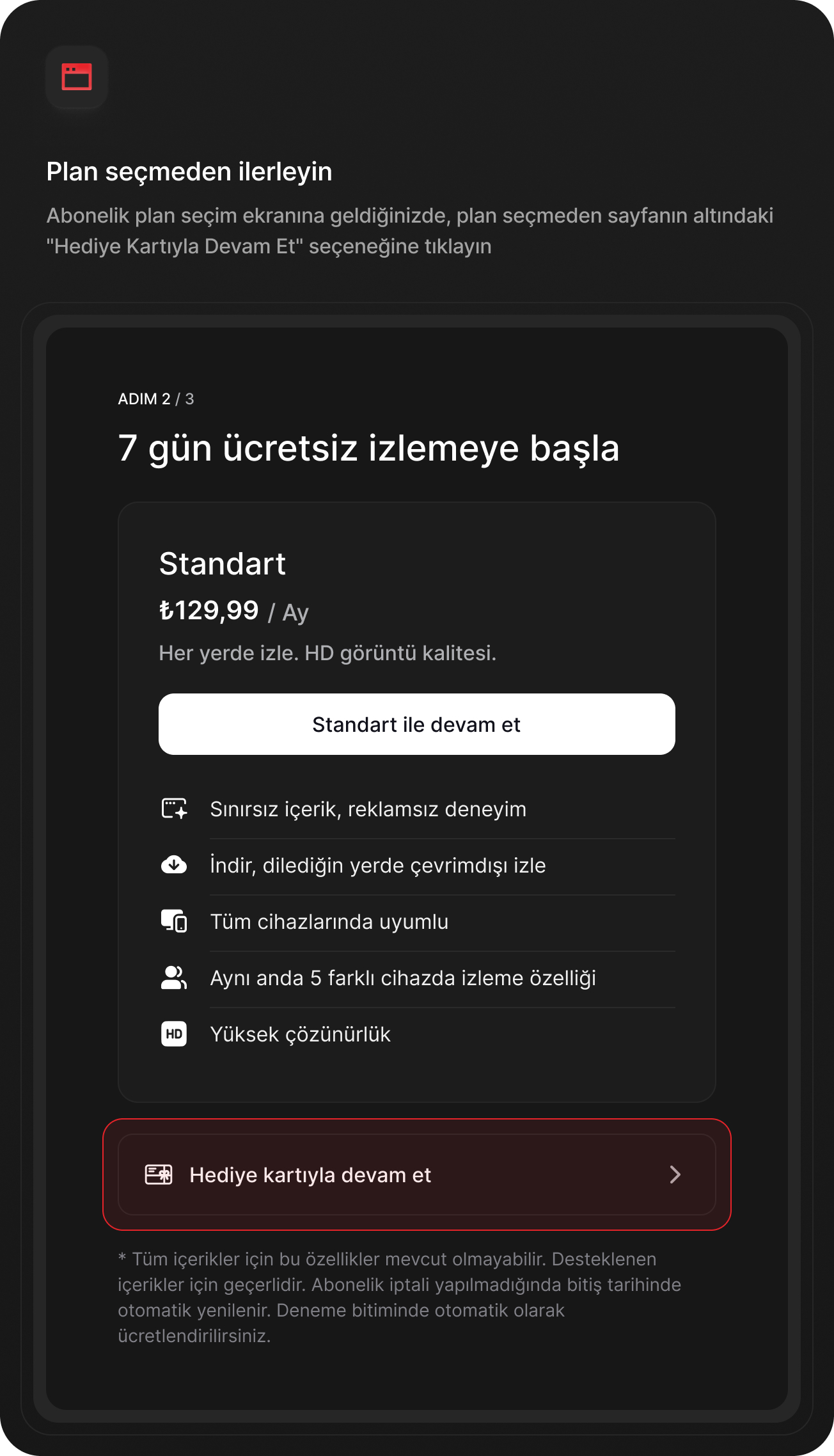
- Proceed to the subscription screen.
- Click the "Continue with Gift Card" option.
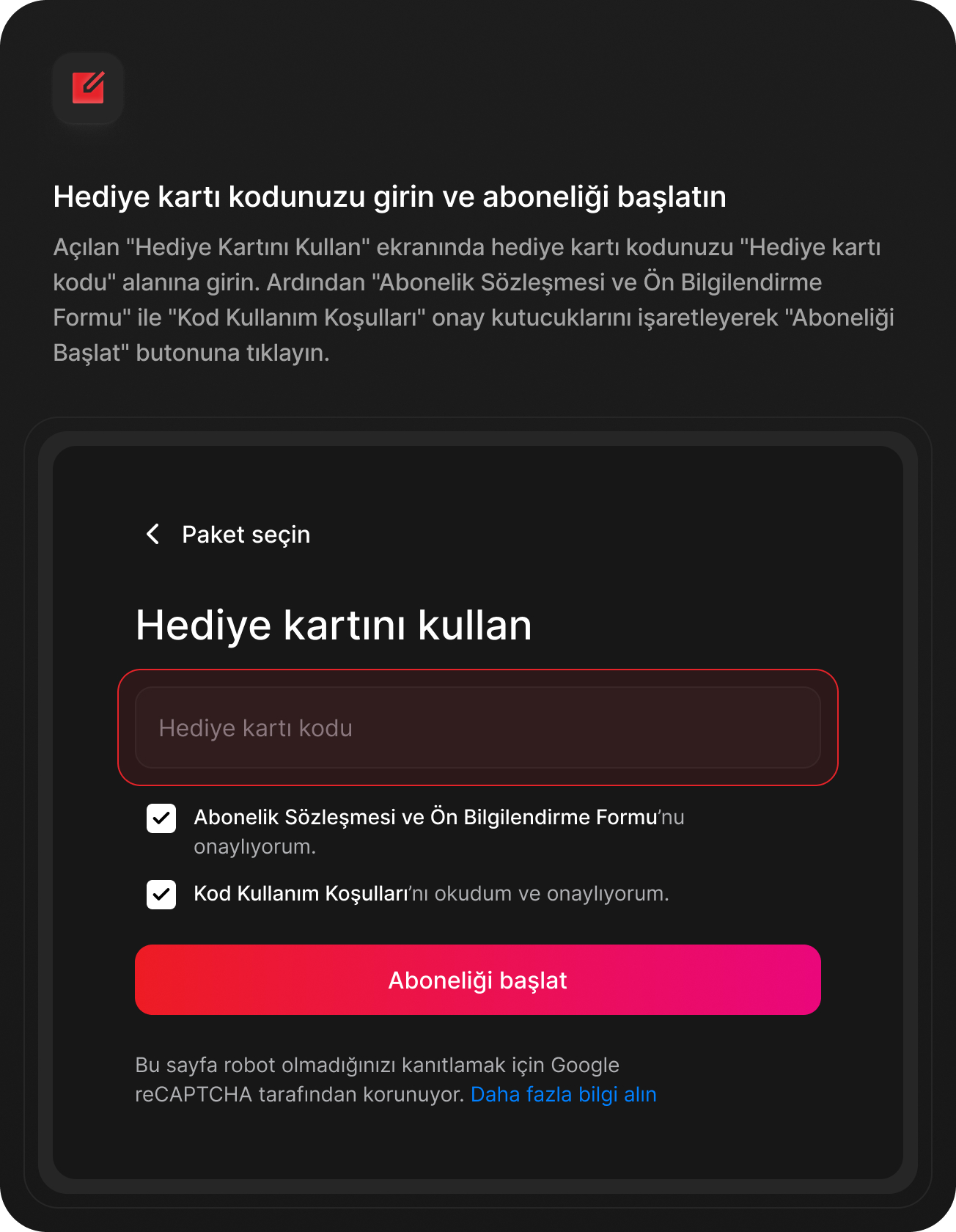
- Enter your gift card code in the "Redeem Gift Card" field on the screen that opens.
- Complete the process by filling in the required information.
When the process is successful, your gift card will be added to your account and your Premium membership will become active.
What You Should Know
- Gift cards are valid only within the stated period or campaign terms.
- Each gift card code can be used only once.
- Gift cards cannot be transferred to another account or exchanged for cash.
- When the membership period defined by the gift card ends, your membership ends automatically.
- No additional charge is made when using a gift card.
If You Experience a Problem
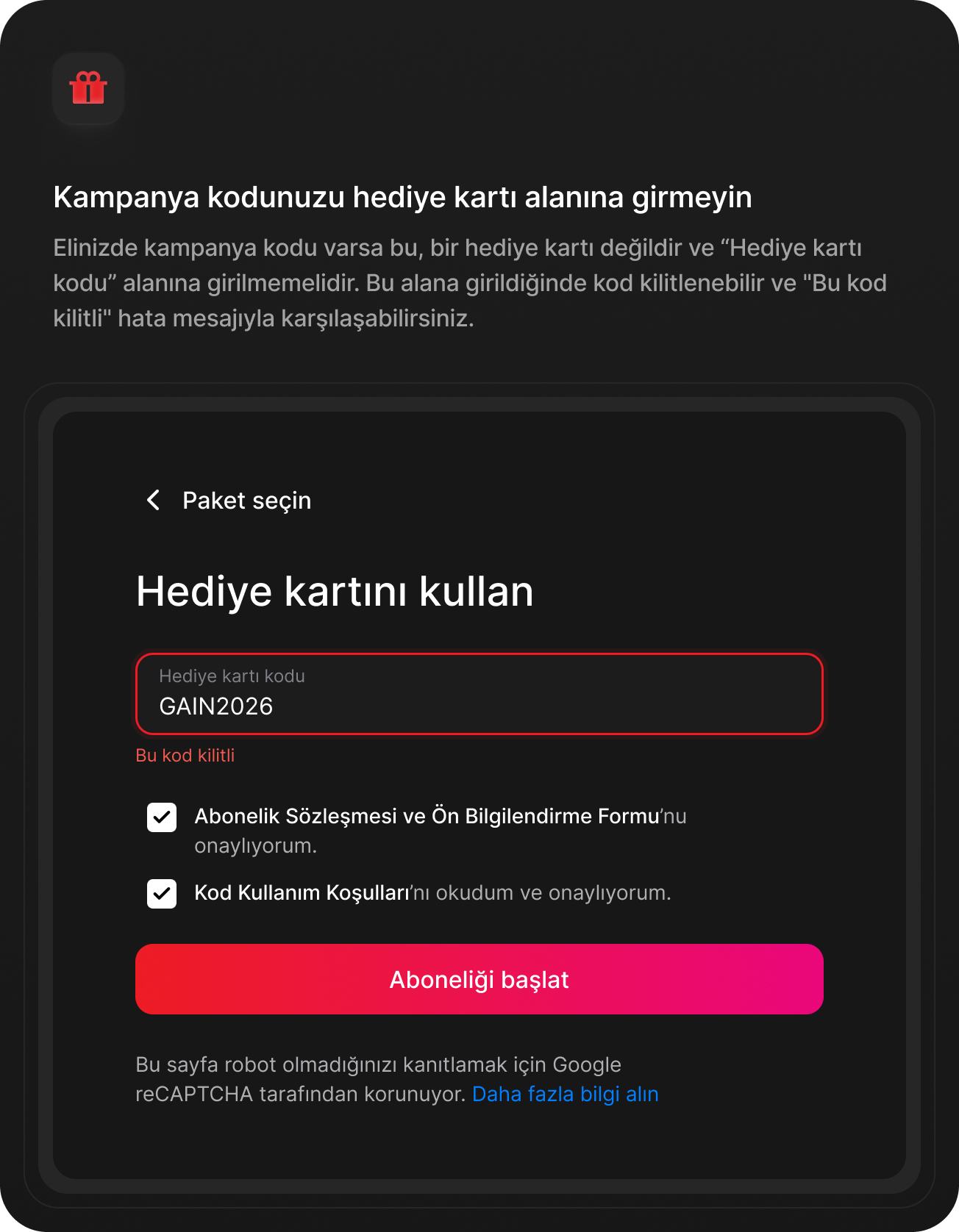
If your code is invalid, has already been used, or you receive an error during activation, you can contact the GAİN Support Team.